


RebusFarm Review 2026: Pricing, Software Support and How It Works
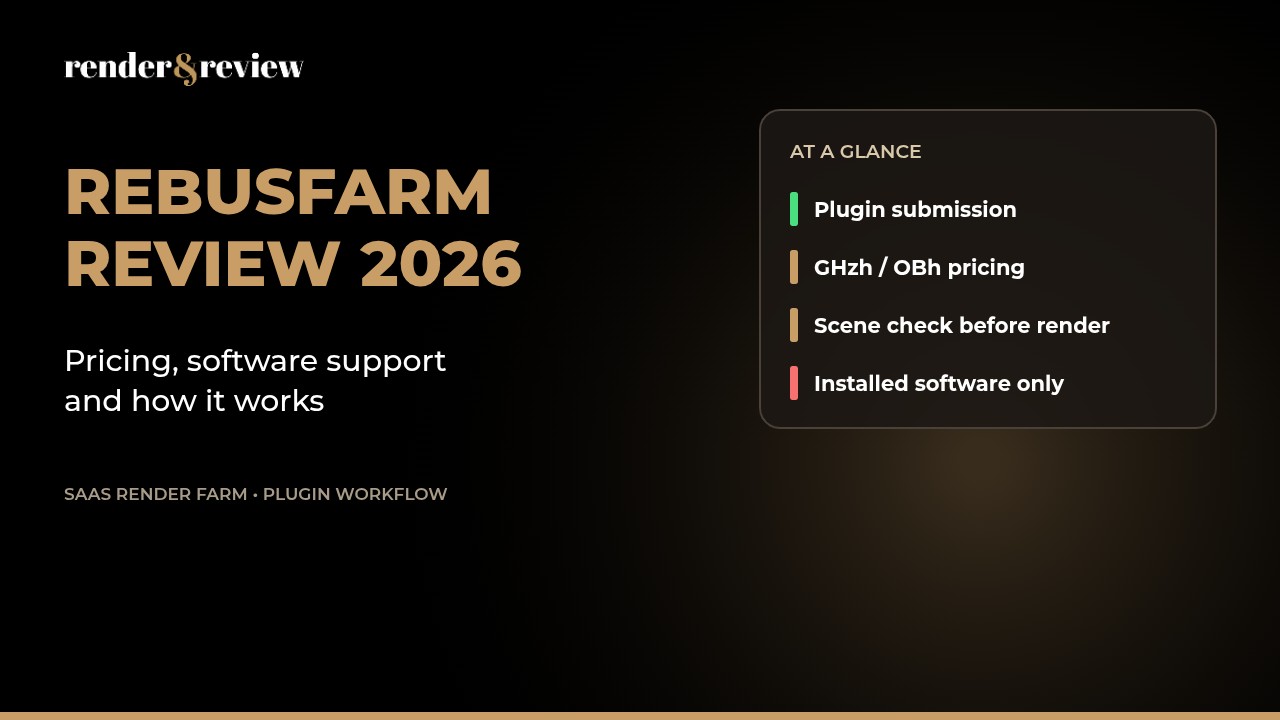
RebusFarm is a German managed render farm that renders scenes uploaded through its Farminizer plugin, charging CPU work per GHz-hour and GPU work per OctaneBench-hour from prepaid RenderPoints.
- Pricing: 1.20 euro cents per GHz-hour for CPU and 0.45 euro cents per OB-hour for GPU, paid with RenderPoints worth 1 euro each that do not expire.
- Trial: new users receive 25 free RenderPoints; volume discounts reach up to 60 percent and students get 50 percent off, per RebusFarm.
- Workflow: submit from inside your 3D app with the Rebus Farminizer plugin, which checks the scene and can estimate cost from test frames.
- Software: 3ds Max, Cinema 4D, Maya, Blender, MODO, LightWave, SketchUp, Rhino and others, with V-Ray, Corona, Redshift, Arnold, Octane and Maxwell.
- Security: RebusFarm states it runs its own data centre in Germany, is ISO 27001 certified and offers an NDA.
RebusFarm is one of the longest-running commercial render farms, based in Cologne, Germany. It follows the managed SaaS model: you prepare a scene in your 3D application, upload it through a plugin, and the farm renders it on its own machines with its own installed software. This RebusFarm overview covers how the service works in 2026, how its pricing units translate into real costs, which software it supports, what it states about data security, and where its model fits or does not fit a VFX workflow.
Table of Contents
1. How RebusFarm Works
RebusFarm’s workflow is built around the Rebus Farminizer, a plugin installed into supported 3D applications. From inside the host you check the scene, upload assets and submit the job. The farm then distributes frames across its nodes and returns the results for download. Because the farm owns the software installation, you never log in to a render node, and the farm supplies the software on its nodes; RebusFarm describes itself as a fully licensed farm for renderers such as Redshift. That is the main convenience of the managed model, and also its main constraint: you can only use what the farm has installed and tested. A scene check called Smartcheck or Quickcheck looks for compatibility problems before upload, although RebusFarm’s FAQ notes that it does not inspect every texture.
2. RebusFarm Pricing Explained
RebusFarm prices CPU work in GHz-hours and GPU work in OB-hours, a unit based on OctaneBench scores. You buy RenderPoints in advance; RebusFarm states that one RenderPoint equals one euro and that points never expire, and that there is no minimum turnover. RebusFarm states it only charges engine time, with no fees for uploads, downloads or storage.
RebusFarm Pricing Units in 2026
As listed on RebusFarm’s products page in November 2026. Check the page for current rates and tax.
| Item | Rate or rule | What it means |
|---|---|---|
| CPU rendering~|1.20 euro cents per GHz-hour:| | Cost depends on CPU speed times hours | |
| GPU rendering~|0.45 euro cents per OB-hour:| | Cost depends on GPU benchmark score times hours | |
| RenderPoints+|1 point = 1 euro:|no expiry | Prepaid credit | |
| Trial credit+|25 free RenderPoints:|for new users | ||
| Discounts+|Up to 60 percent volume:|50 percent for students |
2.1 Turning units into a real cost
Because the units depend on hardware speed, the useful number is cost per finished frame. The Farminizer’s cost estimate renders test frames and projects the total, which is the best starting point. For a method that works across providers, see render farm cost per frame.
3. Supported Software and Renderers
RebusFarm lists support for 3ds Max, Cinema 4D, Maya, Blender, MODO, LightWave, SketchUp, Rhino and Softimage, with renderers including V-Ray, Corona, Redshift, Arnold, Octane and Maxwell. As with any managed farm, support is version-specific, so check that your exact host and renderer versions are listed before relying on the farm for a deadline.
What to Check Before Submitting to RebusFarm
Managed farms support specific versions; these checks avoid failed jobs.
| Check | Why it matters | Fallback |
|---|---|---|
| Host version listedFarminizer and nodes match it | Use a supported version: test the look | |
| Renderer version listedlook and features depend on it | Wait or switch version: | |
| Third-party pluginsmust be installed on nodes | Bake or cache: plugin effects | |
| Houdini or real-time enginesnot in RebusFarm’s main list | Use another model: for these tools |
3.1 Preparing a scene for a managed farm
Most failed jobs on any managed farm come from the scene rather than the farm. Collect textures and caches into the project folder, use relative paths, cache simulations to disk, and avoid plugins the farm does not list. Render one frame locally from the collected project before submitting, so a missing file shows up on your machine rather than as a failed job. The full checklist is in how to package a scene for any render farm.
3.2 Stills versus animation
For high resolution stills, RebusFarm recommends distributed settings that split one image across several machines on renderers that support it, which shortens the wait for a single large render. For animation, each machine renders whole frames, so the gain comes from running many frames in parallel. In both cases the upload is a fixed cost, which is why small jobs with large asset folders benefit least.
4. Who RebusFarm Suits
Which Users RebusFarm Tends to Suit
General guidance by type of work.
| User | Fit | Reason |
|---|---|---|
| Archviz studios on 3ds Max, V-Ray, Corona+|Good fit:| | Core supported tools, plugin workflow | |
| Motion designers on Cinema 4D with Redshift or Octane+|Good fit:|if versions match | Supported hosts and renderers | |
| Blender artists~|Possible:|check version list | Other farms also specialise in Blender | |
| Houdini FX artists-|Limited:| | Not in the main software list | |
| Real-time engine users-|Poor fit:| | Need an interactive machine |
5. Hardware and Priority
RebusFarm’s homepage names AMD Threadripper 3970X CPUs and NVIDIA Quadro RTX 6000 GPUs, which may not reflect current hardware, and its Octane page states that each GPU node has eight NVIDIA cards without naming the model. Users can raise job priority, according to the FAQ, although the levels are not published. For GPU work, VRAM per card matters more than card count, since memory does not pool across GPUs.
6. Data Security
RebusFarm states that it operates its own data centre in Germany, is ISO 27001 certified and offers a non-disclosure agreement. Its site links a data protection declaration. As with any provider, treat these as statements to confirm for client contracts, and ask about retention periods for uploaded projects and outputs.
- Retention: how long uploaded scenes and rendered frames stay on the farm, and how to delete them early.
- Access: who at the provider can see project files, and whether access is logged.
- Contract terms: whether the NDA covers your client’s specific requirements, such as named staff or audit rights.
- Transfer: whether uploads and downloads are encrypted in transit.
7. Strengths and Limits
RebusFarm Strengths and Limits
Balanced points for deciding whether it fits your work.
| Topic | Strength | Limit |
|---|---|---|
| Workflow+|Integrated plugin:|submit from inside the host | Depends on plugin support: for your version | |
| Pricing+|Prepaid points that do not expire:| | Benchmark units: harder to compare | |
| Location+|German data centre:|EU data handling | Upload time: for large projects from far away | |
| Tool coverage+|Major archviz and motion tools:| | Limited for Houdini and real-time engines: |
8. SOP: Testing RebusFarm on a Real Project
- Install the Farminizer for your host and run the scene check.
- Use the free RenderPoints on 10 to 20 frames of a representative shot.
- Compare the frames with a local render for look and missing assets.
- Calculate cost per frame from the points used.
- Decide per project, based on version support and cost.
9. Alternatives and When They Fit
Other managed farms such as GarageFarm, RANCH Computing and Fox Renderfarm follow a similar model with different software lists, pricing units and regions. Remote GPU servers follow a different model: you rent a machine and install your own software, which suits Houdini, Unreal and plugin-heavy pipelines. iRender is an example, with servers of one to eight RTX 4090 or RTX 5090 cards. Its trade-off is that each boot takes around 10 to 15 minutes before you can connect. For a wider comparison see SaaS vs IaaS render farms.
See more: Render Farm Cost per Frame | SaaS vs IaaS Render Farm | How to Package a Scene for Any Render Farm
FAQ: RebusFarm
RebusFarm lists 1.20 euro cents per GHz-hour for CPU rendering and 0.45 euro cents per OB-hour for GPU rendering, paid with prepaid RenderPoints worth one euro each that do not expire. The real cost depends on the scene, so render test frames and calculate cost per frame.
RebusFarm gives new users 25 free RenderPoints, which is enough to test a short frame range. It also lists volume discounts of up to 60 percent and a 50 percent student discount.
RebusFarm lists 3ds Max, Cinema 4D, Maya, Blender, MODO, LightWave, SketchUp, Rhino and Softimage, with renderers including V-Ray, Corona, Redshift, Arnold, Octane and Maxwell. Support is version-specific, so check your exact versions.
Install the Rebus Farminizer plugin in your 3D application, run its scene check, upload the scene and submit. The Farminizer can also estimate the cost by rendering test frames before the full job.
RebusFarm states that it runs its own data centre in Germany, is ISO 27001 certified and offers an NDA. Confirm these points for your contract and ask how long uploaded projects and outputs are kept.
Houdini and real-time engines such as Unreal are not in RebusFarm’s main software list. For these tools, a farm that supports them or a remote GPU server where you install your own software is usually a better fit.

Pingback:Supported 3D Software by RebusFarm - VFXRendering | 9 April, 2022
|
Mark | 14 September, 2022
|
Thanks for your blog, nice to read. Do not stop.
Pingback:RebusFarm Alternatives 2026: When to Switch and What to Check | 23 November, 2026
|
Pingback:Fox Renderfarm Alternatives 2026: When to Switch | 23 November, 2026
|
Pingback:GarageFarm Alternatives 2026: When to Switch and What to Check | 23 November, 2026
|