


Why Do Render Farms Fail My Frames When They Render Fine Locally? (Pre-Flight Guide)
Why do render farms fail my frames when they render fine locally? A scene renders on your machine and fails on a farm because your machine quietly has things the farm node does not. Over years of working, your computer accumulated installed plugins, cached textures, font files, a color management config, and paths that happen to resolve, and a fresh render node has none of that. The farm is not broken, the scene was never self contained. The fix is a pre-flight pass that makes it portable: package all assets, switch absolute paths to relative, confirm the plugins and versions the node actually has, bundle the OCIO config and fonts, and test a few frames before committing the whole sequence. Get the scene to render on a clean machine and it renders anywhere.
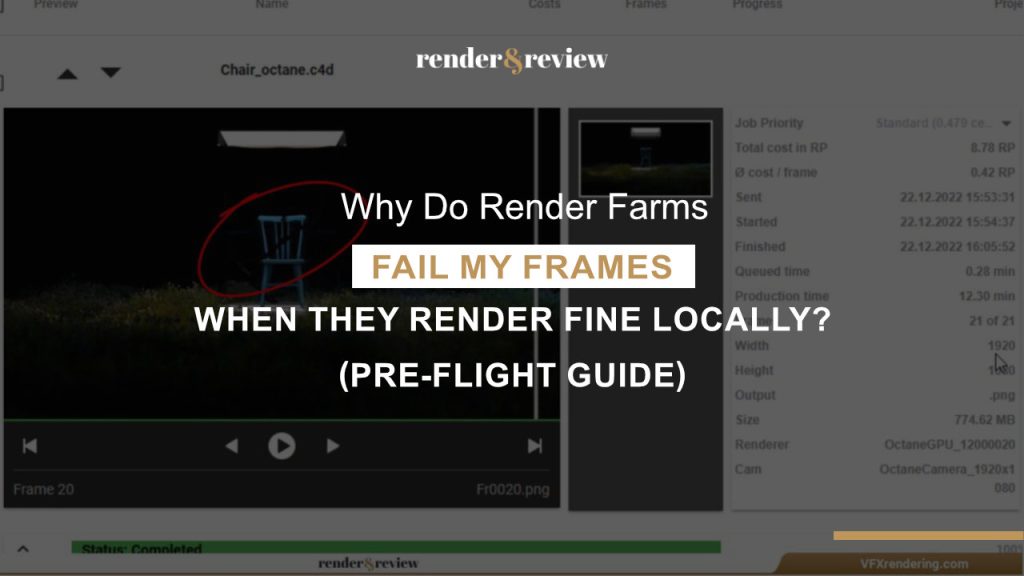
“It works on my machine” is the oldest excuse in software, and a render farm is the thing that exposes it in VFX. Locally, everything is within reach: the textures sit where you left them, the plugin loads because you installed it months ago, the color config is just there. A farm node boots clean, opens your scene, goes looking for all of that, and falls over on the first thing it cannot find. Understanding what your machine is hiding is the whole game.
What Your Machine Has That a Farm Node Does Not
The failures cluster around a short list of things a clean node lacks. Recognising which one you hit saves the guesswork.
| Your machine has | A clean node lacks it | So the frame fails on |
|---|---|---|
| Textures where you saved them | Different drive layout | Missing texture, pink or black surfaces |
| Absolute paths that resolve | No C:\Users\you\ path | File not found errors |
| The plugin installed | Plugin not present or wrong version | Scene loads wrong, or not at all |
| Your OCIO color config | No color config set | Wrong colors, or a hard fail |
| Fonts and caches | Neither installed nor cached | Missing text, recached sims |
One pattern shows how small the cause can be. We had a scene render perfectly at home, then fail on 47 of 50 frames on a farm, all with the same color management error. The OCIO config lived on the local machine and never got bundled with the job. Including it fixed all 47 at once. The frames were never the problem, the missing config was.
The Pre-Flight That Makes a Scene Portable
Run these before you submit, in roughly this order, and most farm failures never happen.
- Package the assets. Use your DCC’s collect or archive tool to gather every texture, cache, and reference into one folder that travels with the scene. This alone removes most failures.
- Make paths relative. Absolute paths tied to your drive will not resolve on a node. Relative or environment based paths will.
- Confirm plugin and version support. Check that the farm runs the exact DCC build and the plugins your scene needs. A mismatch here has its own guide, our plugin not supported on a farm.
- Bundle color config and fonts. Include the OCIO config and any fonts, since a node has neither by default.
- Bake what should not re compute. Cache sims to disk so a node reads finished data instead of re solving, which avoids both slow frames and inconsistent results.
- Test a few frames first. Submit three or four frames spread across the sequence before the whole thing. A failure on a test costs minutes, a failure on the full job costs the night.
The cheapest insurance in farm rendering is a test of a handful of frames before the full submit. It catches the missing asset, the wrong path, the absent plugin, while you still have time to fix them. Skipping it to save ten minutes is how people lose a whole render window.
Where the Farm Model Changes the Failure
The kind of service you use shifts which of these bite. A SaaS farm runs your scene on its nodes, so the missing plugin and version mismatch problems are real and a strong scene checker is worth a lot, since it flags missing assets and wrong paths at submission before they cost you. The differences between farms on that front are in our comparison.
An IaaS service like iRender changes the picture, because you are the node. You install your own plugins and exact versions and set your own color config, so the “the node did not have my plugin” class of failure disappears, the environment matches your workstation by construction. The point worth flagging for this guide: it does not pre-flight for you either, so packaging assets and using sane paths is still your job, and there is no scene checker catching a broken path before you render. You get a machine that matches yours, not an automatic safety net. How that model works is in the iRender explainer.
Tired of frames failing on a farm that does not have your exact setup?
Render on a server you control with iRender, your plugins and versions →
Frequently Asked Questions
Why does my scene render locally but fail on a render farm?
Because your machine has things the farm node does not: installed plugins, cached textures, a color config, fonts, and paths that resolve to your drive. A clean node lacks all of that and fails on the first missing piece. The scene was never self contained. Packaging assets, using relative paths, and bundling the color config and plugins makes it render anywhere.
What is a pre-flight check for render farm submission?
It is the pass you run before submitting to make a scene portable: collect all textures and caches into one folder, switch absolute paths to relative, confirm the farm has the right plugins and DCC version, bundle the OCIO color config and fonts, bake sims to disk, and test a few frames first. It turns a scene that only works on your machine into one that renders on any node.
How do I stop missing texture errors on a render farm?
Use your DCC’s collect or archive tool to gather every texture into a folder that travels with the scene, and switch absolute paths to relative so they resolve on a node with a different drive layout. Missing textures are the single most common farm failure, and packaging assets before submission prevents nearly all of them. Test a few frames to confirm before the full job.
See more: My RBD Destruction Sim Won’t Render the Same on the Farm as Locally: Why?




No comments