


RTX 5090 for Houdini Rendering: What 32GB Actually Buys You
The RTX 5090 gives Houdini artists 32GB of VRAM, up from 24GB on the RTX 4090. On paper, that is only an extra 8GB. In a real Houdini project, however, those 8GB can change whether a heavy frame stays inside GPU memory at all. That matters more than a simple benchmark percentage.
With Karma XPU, crossing the GPU memory limit can have a much larger impact because there is no general out-of-core fallback for scene data. Redshift and Octane have out-of-core mechanisms that can use system memory for supported data, but moving data outside VRAM still comes with a performance cost. So when we look at the RTX 5090 for Houdini rendering, the useful question is not simply how much faster it is than the RTX 4090. The better question is: does 32GB keep your actual scene inside GPU memory when 24GB cannot?
That is what we will focus on in this article.
Table of Contents
The spec difference, briefly
We do not need a long hardware comparison to understand the RTX 5090’s role in Houdini. The most relevant change for this discussion is VRAM.
| Feature | RTX 4090 | RTX 5090 |
| VRAM | 24GB GDDR6X | 32GB GDDR7 |
| CUDA Cores | ~16,384 | ~21,760 |
| Architecture | Ada Lovelace (AD102) | Blackwell (GB202) |
| TDP | 450W | 575W |
| NVLink Support | No | No |
The jump from GDDR6X to GDDR7 provides massive memory bandwidth, but the capacity jump from 24GB to 32GB is what alters scene management in Houdini.
Why the threshold matters more than the percentage
In VFX and procedural animation, your VRAM demand isn’t static, it changes frame by frame. As a scene unfolds, expanding geometry, dense volumetric fields (like smoke or explosions), and high-resolution textures dynamically push memory usage higher.
When memory demand crosses your GPU’s physical VRAM limit, performance drops off a cliff:
- Inside VRAM limit (under 24GB): A frame renders smoothly in 2 minutes.
- Over VRAM limit (exceeding 24GB): The very next frame with a slightly larger explosion or higher polygon count—crosses the 24GB line. The render engine must overflow data into system RAM or failover to CPU rendering, causing render times to jump to 18 minutes, or crash the scene entirely.
What the Extra 8GB VRAM (32GB Total) Delivers
That extra 8GB creates a critical safety buffer:
- For heavy scenes peaking between 24GB and 32GB: It is the difference between a successful render and a constant workflow bottleneck or crash.
- For lighter scenes (consistently under 20GB): You will simply enjoy the raw generational speedup of the new GPU architecture.
What 32GB Buys You Per Engine
Karma XPU
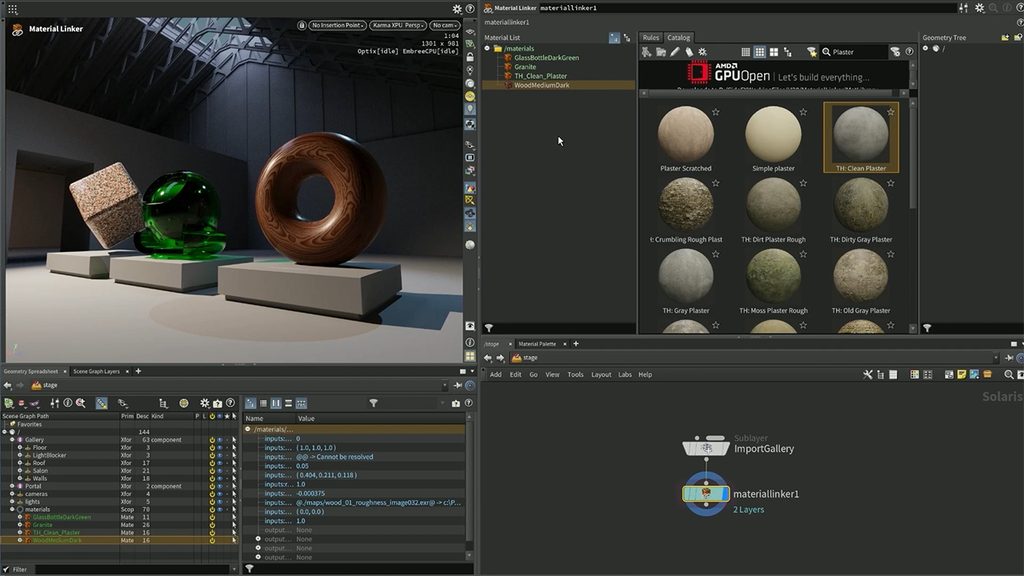
SideFX designed Karma XPU to utilize both CPU and GPU hardware simultaneously. However, Karma XPU lacks an out-of-core memory fallback for GPU processing. If your scene geometry, instancing, and material buffers surpass 24GB on an RTX 4090, the engine cannot stream the excess to system RAM. The GPU execution drops out, forcing the frame to render on CPU compute alone. The 32GB limit on the RTX 5090 is vital for Karma XPU because it provides a genuine buffer against CPU fallbacks.
Source: SideFX
Redshift
Maxon’s Redshift manages out-of-core data well for textures and standard geometry, streaming them from host RAM when VRAM overflows. However, Volumetric VDB grids cannot be paged out-of-core efficiently. Dense Pyro simulations, smoke, and clouds must fit into physical VRAM. Moving from 24GB to 32GB expands the maximum voxel grid resolution you can load directly into Redshift without crash errors.
OctaneRender
OTOY’s Octane handles out-of-core assets smoothly, but using system RAM comes with a severe performance penalty: hardware-accelerated ray tracing (RTX acceleration) is bypassed for out-of-core buffers. When an Octane scene leaks past 24GB, render times increase dramatically. The 32GB frame buffer on the RTX 5090 keeps complex, texture-heavy scenes inside local GDDR7 VRAM, preserving hardware RTX speedup.
What 32GB VRAM Will NOT Do for You
While 32GB of VRAM provides a significant upgrade, it is essential to understand its technical limits:
- VRAM Does Not Add Up Across Multiple GPUs: Installing two RTX 5090 cards does not give you 64GB of usable memory. Each GPU maintains its own isolated 32GB pool and must store a full copy of the scene. Multiple cards render frames faster, but they do not let you load larger scenes.
- It Won’t Save Unoptimized Smoke and Fire Simulations: Heavy, unoptimized Pyro/VDB simulations with massive voxel counts can still easily exceed 32GB. The solution is voxel optimization, camera-frustum culling, or switching to CPU rendering buying a bigger GPU won’t magically solve bad scene setup.
- Requires Updated Software: Older Houdini releases and legacy engine plugins won’t recognize the new Blackwell GPU architecture out of the box. You must update to the latest supported software builds for proper performance and compatibility.
- It Can’t Fix a Weak CPU Bottleneck (Karma XPU): Karma XPU uses both your CPU and GPU simultaneously. Pairing a top-tier RTX 5090 with a slow, low-core CPU creates a severe performance bottleneck, preventing the GPU from working at full speed.
Choosing Between More VRAM and More Cards
Testing your heaviest frame on actual hardware is the most reliable way to determine if your Houdini scenes require 32GB of VRAM.
When using cloud platforms like iRender, you can select between single RTX 5090 (32GB) nodes and multi-card RTX 4090 configurations (24GB). Depending on your rendering needs, you have to choose between two trade-offs:
- Single-card 32GB VRAM (RTX 5090): Best for heavy, complex single frames that crash or spill over 24GB limits.
- Multi-card 24GB VRAM (Multi-RTX 4090): Best for rendering long sequences where individual frames fit under 24GB, benefiting from parallel GPU compute.
Note: Multi-GPU scaling is sub-linear due to data transmission overhead between cards (approximate scaling: 1.9x for 2 cards, 3.6x for 4 cards, and 6.5x for 8 cards).
Test your Houdini scenes on single RTX 5090 or multi-RTX 4090 nodes on iRender
Frequently Asked Questions
1. Is 32GB VRAM enough for Houdini rendering?
For most production environments, 32GB of VRAM is sufficient for complex geometry, heavy instancing, and large texture sets. However, unoptimized volumetric simulations (VDBs) can still breach 32GB.
2. Is the RTX 5090 worth it for Houdini?
The RTX 5090 is worth the investment if your scenes routinely exceed the 24GB threshold on the RTX 4090, especially when rendering with Karma XPU. If your scenes fit comfortably within 24GB, performance gains come strictly from raw core speed rather than memory stability.
3. Do two RTX 5090 cards give 64GB VRAM?
No. VRAM does not pool across GPUs. Two RTX 5090 cards provide two separate 32GB memory pools, meaning your scene must still fit within 32GB.
4. Which renderer benefits most from 32GB VRAM?
Karma XPU benefits the most because it lacks out-of-core memory support for GPU rendering. Crossing the VRAM threshold in Karma XPU forces a total fallback to CPU rendering, causing severe slowdowns.
See more: OctaneRender for Houdini on Cloud GPU







No comments