


GarageFarm Alternatives in 2026: When to Switch and What to Check
GarageFarm alternatives are worth checking when your renderer, host or workflow is not on GarageFarm’s supported list, not simply when you want a cheaper rate.
- GarageFarm’s strengths: plug-in submission through renderBeamer, per-second billing that excludes queue time, 24/7 support from Medium priority and GPU nodes with up to 96GB VRAM.
- Common switch reasons: Houdini-native or Karma jobs, Octane or V-Ray GPU scenes, real-time engines such as Unreal, D5 or Twinmotion, and plugins outside the supported list.
- Managed alternatives: Fox Renderfarm, GridMarkets, RANCH Computing and RebusFarm each cover a different gap, from Houdini depth to automatic farm selection.
- Remote GPU option: iRender rents whole machines with 1 to 8 RTX 4090 or RTX 5090 cards where you control the software.
- Before you move: test the same frames everywhere and compare cost per finished frame, not GHz-hour or OB-hour rates.
GarageFarm is a well-established managed render farm, operating since 2010, and for many 3ds Max, Maya, Cinema 4D and Blender users it does the job without fuss. Searching for GarageFarm alternatives usually means one specific thing has gone wrong: a renderer that is not on the supported list, a host the farm does not run natively, or a workflow that needs a live machine rather than an upload. This guide starts from those reasons, then shows which kind of service fixes each one.
All prices and features below come from each provider’s own pages, read on 23 November 2026. Farms change rates and software lists often, so confirm the details before a deadline job.
Table of Contents
1. What GarageFarm Does Well
It helps to be clear about what you would give up. GarageFarm’s workflow is built around renderBeamer, a desktop app with plugins inside each supported 3D application. Uploads are checksum-based, so only changed files are sent again, and finished frames download automatically while renderBeamer runs. Billing is per second from the moment a node starts work on your job, including scene loading and saving output; queue time and software installation are not charged.
GarageFarm Priority Tiers in 2026
Rates and limits from GarageFarm’s pricing page, read 23 November 2026.
| Tier | CPU rate | GPU rate | Max nodes | Support |
|---|---|---|---|---|
| Lowcheapest, slowest queue | $0.024: per GHz-hour | $0.004: per OB-hour | 100 CPU / 15 GPU | Standard email |
| Mediumbalanced | $0.036: per GHz-hour | $0.006: per OB-hour | 150 CPU / 30 GPU | 24/7 technical support: |
| Highfastest queue | $0.072: per GHz-hour | $0.012: per OB-hour | 300 CPU / 60 GPU | Dedicated support lead: |
Its GPU fleet includes an RTX PRO 6000 Blackwell with 96GB of VRAM, plus L40S, RTX 4000 Ada and RTX A5000 nodes. New users get $25 of trial credit with no card required. If your scene uses a supported renderer and needs a lot of VRAM, that 96GB option is a reason to stay rather than leave.
2. Why Artists Look for GarageFarm Alternatives
GarageFarm’s supported-apps page lists 3ds Max, Maya, Cinema 4D, Blender, Modo, LightWave, Rhino, SketchUp, Vue and Terragen, with engines including V-Ray, Corona, Redshift, Cycles, LuxCore, FStorm and ProRender. Software that is not on that page is a frequent reason to look elsewhere. GarageFarm says it can install free software within a few hours on request, and its pricing page offers custom plugin installation on Medium and High priority, so ask its support first.
2.1 Houdini-native and Karma jobs
Houdini appears on GarageFarm only through Redshift Standalone and .vrscene exports, and Karma is not listed. Studios that render Karma or Mantra from Solaris usually need a farm that runs Houdini itself, or a machine where they install their own Houdini build. See our Houdini render farm comparison for the details.
2.2 Octane, V-Ray GPU and real-time engines
Octane is not on GarageFarm’s list, V-Ray GPU is not named separately, and neither are Unreal Engine, D5 Render, Lumion, Twinmotion, Enscape or KeyShot. Real-time engines are a special case: they usually need an interactive session on a GPU machine rather than an uploaded job, which is a different service model altogether.
2.3 Plugins and exact versions
Managed farms install and test specific versions. If your pipeline depends on a plugin release or renderer build the farm does not offer yet, you can wait, bake the effect into standard data, or move to a service where you install the build yourself. Our pre-flight guide covers the checks that catch these mismatches early.
3. GarageFarm Alternatives Compared
There is no single best render farm, only the one that fits your project. The farms below are listed in alphabetical order and grouped by service model: managed SaaS farms first, then remote GPU servers (IaaS).
GarageFarm Alternatives at a Glance
Billing unit, hardware and software focus as published by each provider, read 23 November 2026.
| Provider | Billing unit | GPU hardware listed | Strength | Watch for |
|---|---|---|---|---|
| Managed SaaS farms: upload the scene and the farm renders it with its own installed software. Suits artists who want the least setup and use supported software versions and plugins. | ||||
| Fox RenderfarmSaaS | Per node-hour: CPU $0.734 to $1.224 | Not listed on its pricing page | Broad software list: incl. Houdini, Unreal, Katana | Extra RAM and some software cost more |
| GridMarketsSaaS | Per machine-hour: billed per second | Not listed publicly | Houdini depth: Karma, Mantra, Solaris via Husk | New accounts capped at 5 machines |
| RANCH ComputingSaaS | OB-hour and GHz-hour: three priority tiers | RTX 2080 Ti to RTX 5090 | Automatic farm choice: from your engine | Max 32GB VRAM per card |
| RebusFarmSaaS | OB-hour and GHz-hour: prepaid RenderPoints | Quadro RTX 6000 named | Farminizer plugin: cost estimate, ISO 27001 | No public priority tiers |
| Remote GPU servers (IaaS): rent a whole machine and install your own software. Suits custom versions, unusual plugins, real-time engines and interactive work. | ||||
| iRenderIaaS | Per machine-hour: from $8.20 (RTX 4090) | 1 to 8 RTX 4090 or RTX 5090 | Your own software: any version, plugins, real-time | Boot wait before each session |
3.1 Fox Renderfarm
Fox Renderfarm prices CPU rendering per node-hour, from $1.224 on its Ordinary plan down to $0.734 on its Diamond plan for large recharges, and offers $25 of trial credit. Its software list covers 3ds Max, Maya, Cinema 4D, Blender, Houdini, Unreal Engine, Katana and Nuke, with Arnold, V-Ray, Redshift, Octane and RenderMan. Fox states it is ISO 27001 certified and TPN accredited. Default nodes have 64GB of RAM, and more costs extra.
3.2 GridMarkets
GridMarkets sells credits at US$1 each and bills machine time per second, with transfer, storage and renderer licences included. Its Houdini support is the main reason to look at it: it lists Solaris and USD rendering through Husk, Karma and Mantra, and describes itself as an official SideFX partner. New accounts get five free credits, and the Economy tier is capped at five concurrent machines, with more on Standard and Rush.
3.3 RANCH Computing
RANCH Computing bills GPU work per OB-hour and CPU work per GHz-hour, each with low, medium and high priority, and gives €30 of trial credit. It chooses the GPU or CPU farm automatically from your render engine. Its GPU farm runs RTX 2080 Ti, 3090, 4090 and 5090 cards, so VRAM tops out at 32GB per card. RANCH also rents dedicated RTX 5090 servers for a minimum of three days, where you bring your own licences.
3.4 RebusFarm
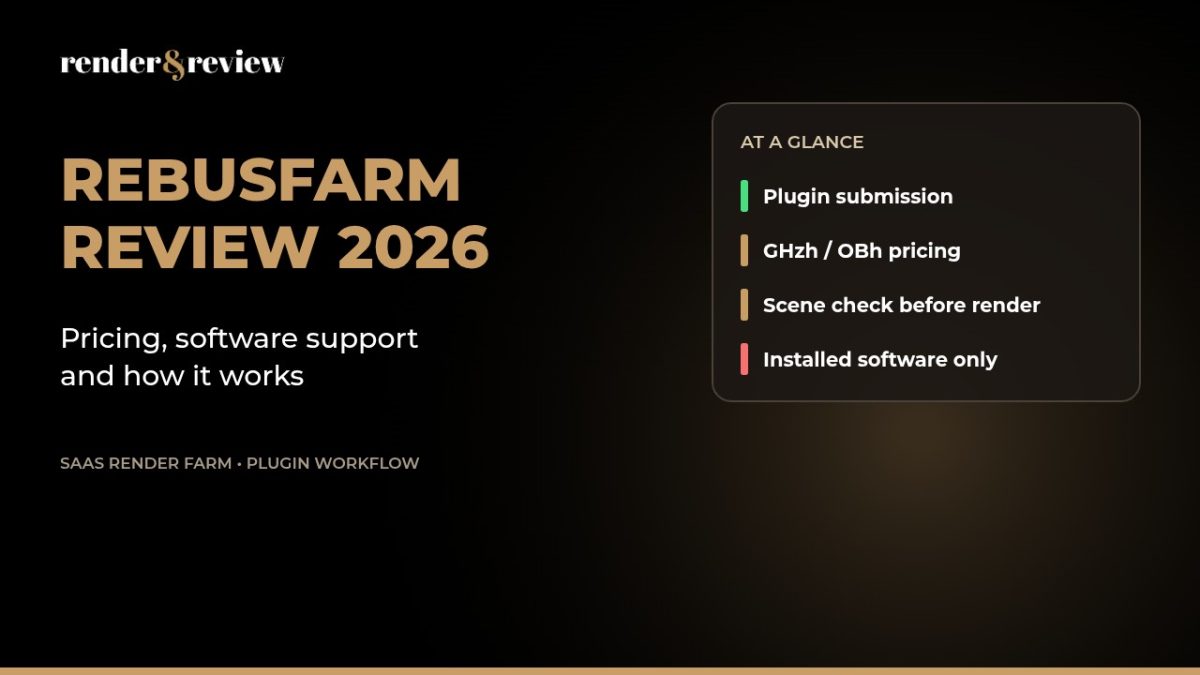
RebusFarm, based in Germany, charges 1.20 euro cents per GHz-hour for CPU and 0.45 euro cents per OB-hour for GPU, from prepaid RenderPoints, with 25 free points for new users and volume discounts of up to 60 percent. Its Farminizer plugin checks the scene and estimates cost from test frames. It states that RebusFarm is ISO 27001 certified and runs its own data centre in Germany, and its homepage names the Quadro RTX 6000 for GPU rendering. More detail is in our RebusFarm review.
3.5 iRender (remote GPU servers)
iRender works differently: you rent a whole Windows machine with 1, 2, 4 or 8 RTX 4090 or RTX 5090 cards, connect by remote desktop and work as on a local workstation. iRender’s machines come with Cinema 4D, Redshift, Octane and Blender pre-installed in their latest versions (licences come pre-activated only for iRender Prime members; other users activate their own); Houdini, Maya, 3ds Max, older versions and plugins you install yourself, and the machine keeps that setup between sessions. Its price page lists $8.20 per hour for one RTX 4090 and $10.80 for one RTX 5090. Because you control the machine, it also runs real-time engines such as Unreal, D5 and Twinmotion. The trade-off is the wait: each time you start a machine it takes roughly 7 to 15 minutes to boot before you can work, and billing runs until you press Shutdown.
On data protection, iRender states that its data center is rated Uptime Tier III and holds ISO 27001 (BS7799), ISO 20000 (ITIL) and ISO 9001:2000 certification. Its terms say client projects are kept confidential and an NDA can be signed on request. We have not verified these claims independently.
4. Matching the Alternative to Your Workflow
Which Service Type Fits Which Need
General guidance; confirm exact versions with each provider.
| Your situation | Better fit | Why |
|---|---|---|
| Supported renderer, heavy GPU scene+|Stay on GarageFarm:| | 96GB VRAM nodes on Medium and High | |
| Renderer not listed on GarageFarm~|Managed farm that lists it:| | Least setup if the version matches | |
| Houdini with Karma or Solaris~|Houdini-focused farm or remote server:| | Native Houdini support or your own build | |
| Unreal, D5, Twinmotion or Lumion+|Remote GPU server:| | Needs an interactive machine | |
| Unusual plugins or exact builds+|Remote GPU server:| | You install what the scene needs | |
| Small job, large asset folder~|Either:|test upload time | Transfer can outweigh render time |
For a broader view of how managed farms and remote servers differ, read SaaS vs IaaS render farms for VFX, and for a wider list of providers, see render farm alternatives compared.
5. Comparing Cost Without Being Misled
GarageFarm, RANCH and RebusFarm price in GHz-hours and OB-hours, Fox in node-hours, GridMarkets in machine-hours and iRender per machine per hour. These units measure different things, so a lower number on one page does not mean a cheaper job. GarageFarm’s own range shows the effect of priority alone: the High tier costs three times the Low tier per unit, in exchange for more nodes and a faster queue.
The fair comparison is cost per finished frame for your scene: render the same frame range on each service, add upload time, retries and any idle machine time, then divide by frames delivered. Our cost per frame guide walks through the arithmetic.
6. SOP: Moving a Scene Off GarageFarm
6.1 Step 1: List every dependency
Write down the host version, renderer build, every plugin and its version, and any caches or textures outside the project folder. This list decides which alternatives can run the scene at all.
6.2 Step 2: Package the project
Collect assets into one folder with relative paths and cache simulations to disk. Render one frame locally from the packaged copy to catch missing files. Our packaging guide has a full checklist.
6.3 Step 3: Run the same test on two services
Use trial credit to render the same three to five frames on your shortlist, including one managed farm and, if your blocker is software control, one remote server. Compare output first, then speed and cost per frame.
6.4 Step 4: Download what you need from GarageFarm
GarageFarm states that data is kept for 28 days after your last render, with only the first seven days guaranteed. Download finished frames and any project data you need before switching, rather than relying on the retention window.
6.5 Step 5: Keep a fallback
Keep your GarageFarm account active until the new service has delivered a full job. Switching mid-deadline without a fallback adds avoidable risk.
See more: Render Farm Alternatives Compared | SaaS vs IaaS Render Farms | Render Farm Cost per Frame
FAQ: GarageFarm Alternatives
Managed alternatives include Fox Renderfarm, GridMarkets, RANCH Computing and RebusFarm, each with a different software focus. If you need control over the machine, a remote GPU server such as iRender is the other option. No single provider suits every project, so match the service to the reason you are switching and test the same frames on each.
Karma is not listed on GarageFarm’s supported-apps page, and Houdini appears only through Redshift Standalone and .vrscene exports. For Karma or Solaris jobs, look at a Houdini-focused managed farm or a remote machine where you install your own Houdini build, and confirm support with the provider before submitting.
These real-time engines are not on GarageFarm’s list. They usually need an interactive session on a GPU machine rather than an uploaded job, so a remote GPU server where you install the engine is the common route. Some managed farms accept Unreal jobs, so check each provider’s current list.
It depends on the scene. Farms price in GHz-hours, OB-hours, node-hours or machine-hours, which do not compare directly. Render the same frames on each service and compare cost per finished frame, including upload time, retries and priority level, before deciding.
GarageFarm lists GPU nodes with up to 48GB of VRAM on Low priority and up to 96GB on Medium and High, including an RTX PRO 6000 Blackwell node. That is more than most consumer cards, so for very heavy GPU scenes with a supported renderer it can be a reason to stay.
List every dependency, package the project with relative paths, test the same frames on your new service and download finished frames from GarageFarm. GarageFarm states data is kept for 28 days after the last render, with only seven days guaranteed, so do not rely on it as storage.

No comments