


Top render engines for Blender you should know in 2026
Choosing the right render engine can dramatically impact your workflow, render time, and final visual quality. In this guide, we’ll explore the best render engines for Blender in 2026, including both built-in and external options.
Table of Contents
What’s Blender?
Blender is a free, open-source 3D creation suite used worldwide for modeling, animation, sculpting, rendering, compositing, VFX, and even video editing. It supports a wide range of industries, from indie game development and architectural visualization to feature films.
One of Blender’s biggest advantages is its flexibility, especially when it comes to rendering. You can use its powerful built-in engines or integrate third-party renderers depending on your project needs.
What’s a render engine?
A render engine is the core technology inside 3D software that converts a digital 3D scene into a final 2D image or animation. In simple terms, it is the system responsible for calculating how light interacts with objects, materials, textures, shadows, reflections, and the camera, and turning all of that data into the image you see.
At a basic level, most modern render engines use one of these approaches:
- Ray tracing/Path tracing: simulates light rays bouncing in a scene.
- Rasterization: approximates lighting for faster real-time results.
- Biased rendering: uses optimization shortcuts to reduce render time.
- Unbiased rendering: calculates lighting physically without shortcuts.
Each approach balances speed vs realism differently.
Best built-in render engines for Blender
Blender comes with two powerful built-in render engines: Cycles and EEVEE. Each serves different purposes.
Cycles
Cycles is Blender’s physically based path-tracing engine. It’s designed for realism and accurate light simulation.
Advantages:
- Physically accurate lighting and shadows.
- Realistic effects such as reflections and refractions.
- GPU & CPU rendering support.
- Production-ready for film and archviz.
Disadvantages:
- Slower render times compared to real-time engines.
- Requires strong GPU for optimal performance.
If your priority is realism, Cycles remains one of the best render engines for Blender in 2026.
EEVEE
EEVEE is Blender’s real-time rasterization engine. It’s incredibly fast and perfect for artists who need quick feedback.
Advantages:
- Real-time rendering
- Fast previews and animations
- Great for stylized projects
- Ideal for motion graphics
Disadvantages:
- Not fully physically accurate.
- Requires tricks to fake global illumination.
If speed matters more than perfect realism, EEVEE is a fantastic option.
Best external render engines for Blender
While Blender’s built-in engines are powerful, many professionals prefer external render engines for advanced features, GPU optimization, or studio pipelines.
Arnold
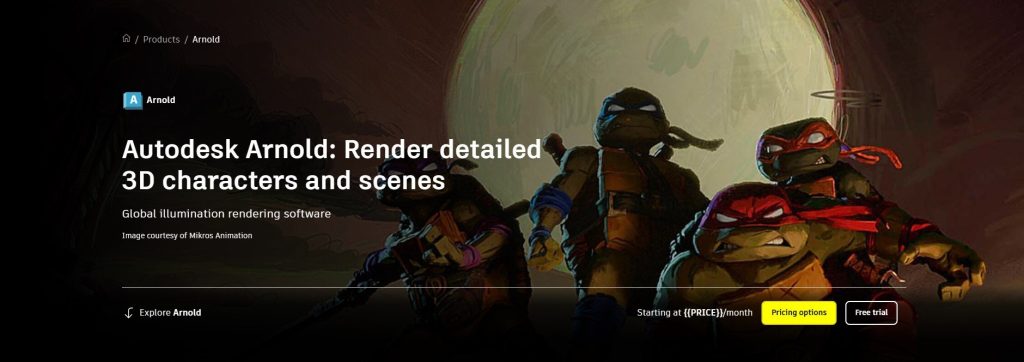
Arnold is widely used in high-end film production and visual effects. It was developed by Solid Angle and later acquired by Autodesk.
Arnold is a physics-based, largely unbiased ray tracing rendering engine. It focuses on stable and predictable results, which studios desperately need.
Advantages:
- Excellent global illumination accuracy.
- Superior volumetrics and subsurface scattering.
- Handles extremely complex scenes efficiently.
- Stable in large production environments.
Disadvantages:
- Slower compared to GPU-focused engines.
- More CPU-heavy (though GPU support exists).
Price: $54/month for annual subscription and $85/month for monthly subscription.
Octane Render
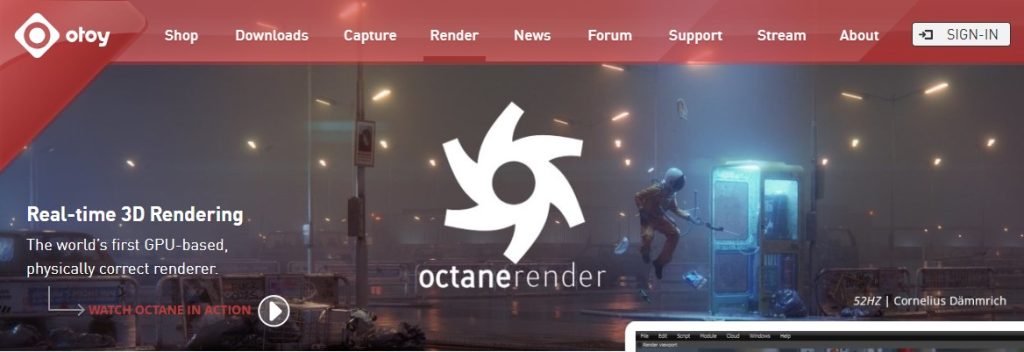
Octane was one of the first fully GPU-based unbiased render engines on the market and remains extremely popular.
It’s a fully GPU-accelerated, unbiased spectral path tracer that calculates light with high physical accuracy.
Advantages
- Extremely fast on high-end RTX GPUs.
- Beautiful, physically accurate lighting.
- Excellent real-time preview feedback.
- Popular in product visualization and commercials.
Disadvantages:
- Requires NVIDIA GPUs
- VRAM limitations can restrict large scenes.
Price: €19.99/month for annual subscription and €23.95/month for monthly subscription.
Redshift
Redshift is a biased GPU renderer that uses advanced sampling optimizations to dramatically reduce render times while maintaining high visual quality.
Advantages:
- Optimized for rendering large frame sequences, significantly reduces noise faster.
- Redshift can use system RAM when GPU VRAM is full.
- Scales very efficiently with multiple GPUs.
Disadvantages:
- May slightly sacrifice physical accuracy for speed.
- Relies heavily on powerful GPUs.
Price: €25.52/month
Vray
V-Ray has been an industry standard for over two decades, especially in architectural visualization. A hybrid CPU-GPU renderer, combining global lighting techniques based on brute-force and caching to produce high-quality and controlled results.
Advantages:
- Extremely realistic lighting.
- Strong ecosystem and plugin support.
- Production-level reliability.
Disadvantages:
- More complex setup compared to Cycles.
- Higher licensing cost.
Price: From €39.50/month
Corona
A CPU-based path tracer optimized for intuitive workflows and fast convergence in interior and architectural scenes.

Advantages:
- User-friendly workflow, no complex adjustments required.
- Natural lighting behavior, especially in interior archviz.
Disadvantages:
- Limited native Blender integration compared to other engines.
- More commonly used in 3ds Max workflows.
Price: from $34.50 per month
Blender Render Engine Comparison (2026)
Here’s a simplified comparison to help you decide:
| Render Engine | Speed | Realism | Best For | Hardware |
| Cycles | Medium | High | Archviz, product | CPU/GPU |
| EEVEE | Very Fast | Medium | Previews, stylized | GPU |
| Arnold | Medium | Very High | Film/VFX | CPU/GPU |
| Octane | Very Fast | Very High | Commercial visuals | NVIDIA GPU |
| Redshift | Fast | High | Motion graphics | GPU |
| V-Ray | Medium | Very High | Archviz | CPU/GPU |
| Maxwell | Slow | Extremely High | Product stills | CPU |
| Corona | Medium | High | Archviz | CPU |
Final Thoughts
There is no single “best render engine for Blender”, only the best one for your workflow.
If you’re just starting out, stick with Cycles or EEVEE. They’re powerful, free, and constantly improving.
If you’re scaling up to commercial projects or heavy animation workloads, external engines like Redshift, Octane, or V-Ray can dramatically increase efficiency.
And if render time becomes a bottleneck, consider using a render farm to speed up production and reduce hardware limitations.
In 2026, Blender’s ecosystem is stronger than ever. No matter your niche (archviz, animation, product design, or VFX), there’s a render engine that fits your creative vision perfectly.
See more:
- Some free motion capture software for Blender you need to know
- Introduction on how to use OctaneRender in Blender software
Thumnail background source: blendernation.com

No comments