


My Render Farm Doesn’t Support My Render Engine Version: Now What?
Sometimes, your render farm doesn’t support your render engine version. Render farms lag behind the newest engine releases, because they test and roll out updates carefully across their fleet, so a scene built in the latest Redshift, Arnold, Karma, or Blender may not render on the older version the farm still runs. You have four options. Downgrade your scene to the version the farm supports, which works only if you did not use features exclusive to the newer release. Wait for the farm to update, if your deadline allows. Render on an IaaS server where you install the exact version yourself. Or render locally if the job is small enough. Whether the newer version’s features are necessary in your scene or not will decide between downgrading and needing the exact version.
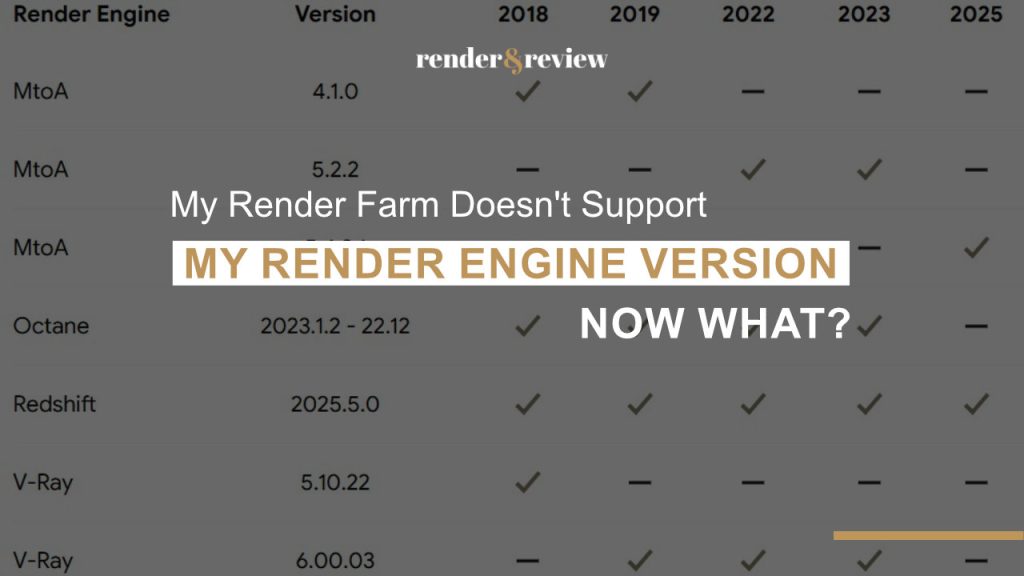
You update Redshift the week it drops because it fixes something you needed, build the shot on it, and then go to render on the farm you always use. Their supported list only has the older version, not the latest one. The scene either will not open or renders with subtle differences, and now the version you chose for a good reason will prevent you from using the farm and delivering on time. This is the version gap, and it is separate from a plugin problem, since the renderer itself is the thing out of sync.
Why Farms Run Behind
A farm cannot update every release the day it lands. New engine versions can change how things render, break compatibility, or carry bugs, so a farm validates a release across its whole fleet before deploying it, and that testing takes time. The farm needs to be stable and it means a version or two behind the newest release. This is still fine until your scene depends on something only the newest version has.
What is the worst situation that could happen to you? On one job the farm ran an old Redshift build and the scene uses the newer one, and because nothing in the shot used the new version’s features, resaving to the farm supported version will provide you the identical results. When the scene use a new feature, a new shading node, a changed sampling model, a fixed bug on the newer version, downgrading either loses the look or is impossible.
The Four Options Side by Side
| Option | Works when | The catch |
|---|---|---|
| Downgrade the scene | You used no new version features | Impossible if the look depends on the new version |
| Wait for the farm to update | Deadline has room | No firm date, rarely quick |
| Render on IaaS | You need the exact version live | You install and license it yourself |
| Render locally | The job is small enough | Ties up your machine, slow at scale |
When You Need the Exact Version
If the new version is doing real work in your scene, the reliable path is a machine that runs the correct version, which is where controlling the environment matters. On an IaaS service like iRender, you install the precise engine build your scene needs, newest release included, because the server is yours to set up. The cost for this case: you install and license the version yourself, and a brand new release sometimes has activation or licensing steps you handle on the server, the same as you would on your own machine. This is the same control that solves the unsupported plugin problem, and how the model works is in our iRender explainer. If your version is only slightly ahead, a SaaS farm that updates quickly may catch up in time, and update cadence across farms is in the comparison.
On the newest engine release and the farm is behind?
Install the exact version on an iRender server →
Frequently Asked Questions
What do I do if my render farm doesn’t support my engine version?
You have four options: downgrade your scene to the supported version if you used no features exclusive to the newer release, wait for the farm to update if your deadline allows, render on an IaaS server where you install the exact version yourself, or render locally if the job is small. Whether the new version’s features are essential to your scene decides between downgrading and needing the exact version.
Why are render farms behind on the latest render engine version?
Because a new engine release can change how things render, break compatibility, or carry bugs, so a farm validates it across its whole fleet before deploying, and that testing takes time. The farm needs to be stable and it means a version or two behind the newest release. This is still fine until your scene depends on something only the newest version has.
Can I downgrade my scene to an older render engine version?
Often yes, if you did not use features exclusive to the newer version. Resaving to the supported version then provides you the identical results. It fails when the scene depends on a new shading node, a changed sampling model, or a bug fix from the newer release, since downgrading loses those. In that case you need a machine running the exact version, which an IaaS server provides.
See more: My Plugin Isn’t Supported on My Render Farm: What Are My Options?

No comments