


Karma XPU on Cloud GPU for VFX Sequences
Karma XPU is Houdini’s hybrid rendering engine, running simultaneously on NVIDIA GPUs through OptiX and CPUs through Embree. It is not a faster preview version of Karma CPU, which runs entirely on the CPU. When you render a long sequence on a system of many machines, like a farm, XPU behaves differently from interactive rendering. VRAM becomes a hard limit, so a single heavy frame that exceeds available VRAM can fall back to CPU and take many times longer than its neighbors. Before sending an entire sequence to the farm, choose Karma XPU or Karma CPU and keep the same engine throughout, because SideFX does not guarantee pixel compatibility between the two delegates. If the scene is too large for your local hardware, Karma XPU cloud rendering can help by providing larger VRAM capacity alongside a powerful CPU.
Karma XPU can feel like a fast, modern engine when you use it interactively in the viewport. However, if you send that same scene to a farm for 300 frames, a different side of the renderer appears. Problems that stay hidden during a single-frame test can become obvious across a full sequence, which is why Karma XPU cloud rendering needs careful preparation.

Table of Contents
Find Out What Is Actually Bottlenecking
Karma provides two render delegates with very different foundations. Karma CPU is built around VEX and runs entirely in software on the CPU, while Karma XPU is built around NVIDIA OptiX and Intel Embree, combining GPU and CPU processing. Knowing which delegate you are using helps explain where rendering time and hardware resources are going.
SideFX treats XPU as a separate rendering engine rather than an interactive version of Karma CPU. XPU supports MaterialX and USD Preview Surface, while Karma CPU supports VEX. The two delegates can therefore produce different results, and SideFX does not guarantee pixel compatibility between them. For a long VFX sequence, you should test the chosen delegate across representative frames before committing the full render.
Karma CPU vs Karma XPU for Sequence Work
| Criteria | Karma CPU | Karma XPU |
| Foundation | VEX | OptiX + Embree |
| Hardware | CPU | NVIDIA GPU + CPU simultaneously |
| Shading | VEX, MaterialX, USD Preview | MaterialX, USD Preview, no VEX |
| Memory limit | System RAM, generally much larger | VRAM on a single GPU, a hard limit |
| Very heavy scenes | Safer | Higher risk of slowdown |
| Pixel compatibility | The two delegates do not guarantee pixel matching. Choose one and keep it consistent. | The two delegates do not guarantee pixel matching. Choose one and keep it consistent. |
The VRAM Ceiling Is the Whole Story at Farm Scale
When considering a Karma XPU cloud rendering, pay close attention to the GPU’s available VRAM. If the scene fits comfortably within VRAM, you get the full benefit of XPU’s hybrid approach. When it does not, XPU may move data around or fall back to CPU processing. Community have reported cases where a scene exceeding 24GB on an RTX 4090 rendered 66% slower than the same scene on a CPU-only machine. This can turn a GPU render into a surprisingly slow job, especially across a long sequence.
Another important point is that VRAM does not combine across GPUs. If you want to combine VRAM, you need to use NVLink, and Karma XPU does not support NVLink for pooling GPU memory. Renting multiple GPUs can increase throughput by rendering more frames in parallel, but it does not give a single scene access to a larger shared VRAM pool.
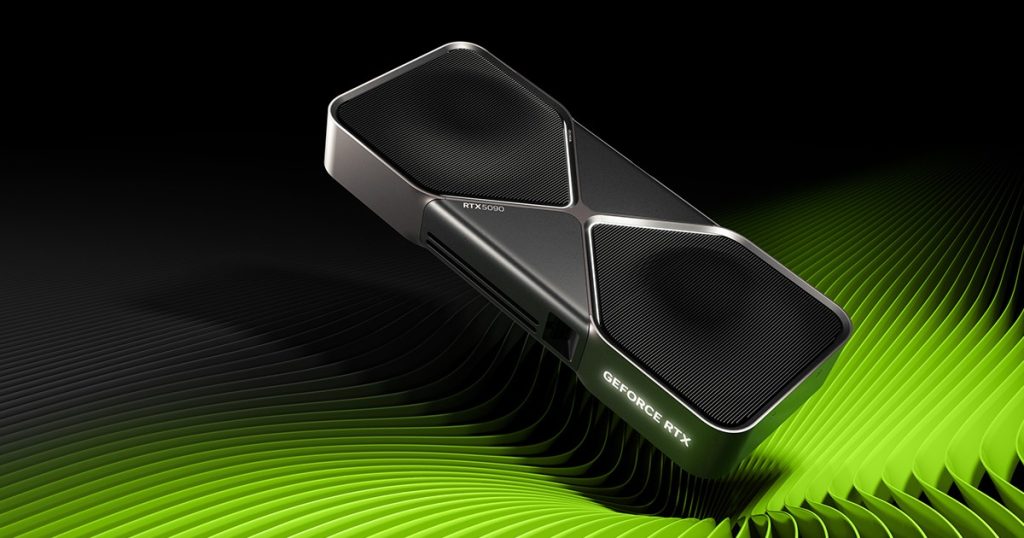
This is where the RTX 5090’s 32GB of VRAM becomes useful for Houdini. The extra capacity can move your scene beyond the VRAM limit that causes a major performance drop. It is a practical increase in headroom, not just a larger specification.
Pick a Delegate Before You Commit a Sequence
SideFX recommends choosing one render delegate for production and keeping it consistent across local and farm rendering. Karma CPU and Karma XPU do not guarantee pixel-identical results, so switching engines midway can cause visual differences.
A practical workflow is to render one representative frame with both delegates and compare the results visually. Once you are happy with one, lock that delegate and use it for the full sequence. This small test can prevent much bigger problems later.
iRender: Balancing GPU and CPU for Karma XPU
XPU needs two things at the same time: an NVIDIA GPU with enough VRAM and a capable CPU, since it uses both during rendering. iRender offers RTX 4090 configurations with 24GB VRAM and up to eight cards, as well as RTX 5090 systems with 32GB VRAM, paired with AMD Threadripper Pro CPUs. This gives demanding Karma XPU cloud rendering jobs more balanced CPU and GPU capacity.
There is one operational point to keep in mind. An IaaS workstation leaves more setup work to you, including installing Houdini and matching the driver to your Houdini build. The machine also charges for runtime while powered on, not only while rendering, so be careful not leaving it running without performing productive work. SideFX recommends driver 570 or newer and strongly recommends 575+ on Windows, so check the driver version before starting a cloud workstation.
Maximum Speed – Absolute Freedom. Take control of your VFX workflow with iRender’s dedicated GPU servers. Render with iRender →
FAQ
What is Karma XPU and how is it different from Karma CPU?
Karma XPU is a separate hybrid render engine in Houdini that uses NVIDIA OptiX for GPU rendering and Embree for CPU processing. Karma CPU is a CPU-only renderer built around VEX. XPU also supports MaterialX and USD Preview Surface, while it does not support VEX in the same way as Karma CPU. The two delegates can produce different images, so they should be treated as separate production renderers.
Can Karma XPU render on a render farm?
Yes. Karma XPU can render VFX sequences on a render farm, provided the farm machines have compatible NVIDIA GPUs, sufficient VRAM, and suitable CPU resources. This makes Karma XPU cloud rendering useful for scenes that exceed local hardware limits. Before sending hundreds of frames, test representative frames and confirm that the scene stays within the available VRAM. This helps avoid unexpected CPU fallback and long render times.
How much VRAM does Karma XPU need for VFX sequences?
There is no single VRAM requirement for every VFX sequence. The amount depends on scene complexity, textures, geometry, volumes, and other render data. The important limit is the VRAM available on one GPU because memory is not pooled across cards. A 24GB RTX 4090 may handle a scene comfortably, while a 32GB RTX 5090 provides more headroom for heavier scenes.
Do Karma XPU and Karma CPU produce the same image?
Not necessarily. Karma CPU and Karma XPU are separate render delegates, and SideFX does not guarantee pixel compatibility between them. Even when the scene looks very similar, differences can appear in shading, lighting, or other rendering details. For production sequences, render a representative frame with both delegates first. Choose the result you prefer, then keep that delegate consistent throughout the sequence.







Pingback:Which Redshift Version Do You Need for RTX 5090? - VFXRendering | 21 September, 2026
|
Pingback:Redshift vs Karma XPU for Houdini Production - VFXRendering | 26 September, 2026
|